Medical History
Overview
The Medical History section is where you can record, track and review a patient’s important health information in one place.
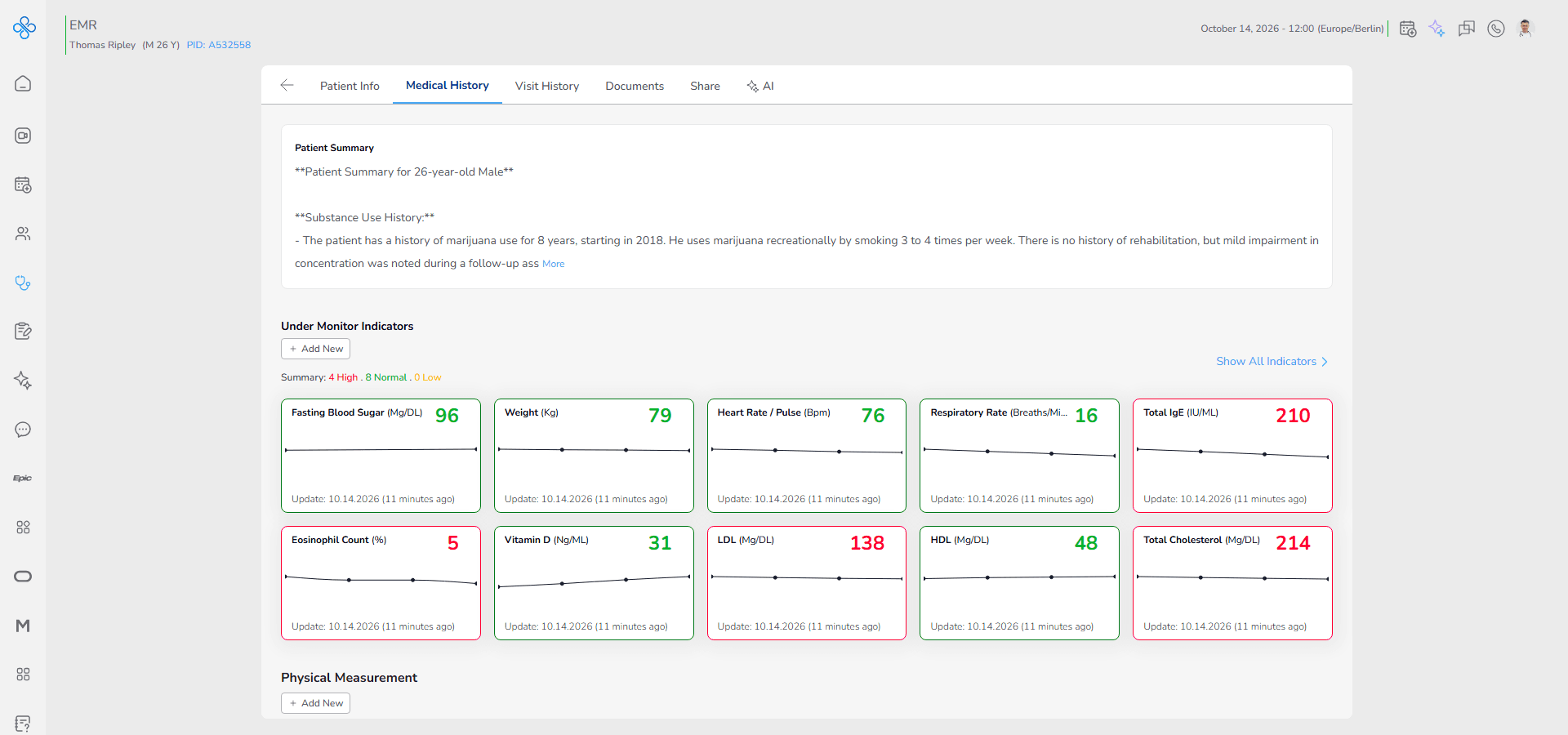
It provides a structured clinical view that helps clinicians understand the patient’s condition over time by combining multiple types of records in a single organized tab.
This section includes:
Patient Summary → A structured clinical overview of the patient. It highlights key diagnoses, allergies, chronic conditions and important notes so providers can quickly understand the patient’s overall status before reviewing detailed records.
Under Monitor Indicators → Track selected health indicators such as biomarkers, vital signs or measurements using color coded cards and trend charts for continuous monitoring.
Physical Measurement → Record essential body measurements including height, weight, BMI and body circumferences to support long term health evaluation.
Vital Signs → Capture core physiological parameters such as blood pressure, heart rate, temperature, respiratory rate and oxygen saturation.
Past Medical History → Document background conditions, previous illnesses, surgeries, allergies and other structured historical medical information.
Biomarkers → Store laboratory results and biological test values that provide deeper clinical insight into the patient’s condition.
Together, these sections make the Medical History tab a complete and structured workspace for patient monitoring, clinical evaluation and follow up care.
Note:
__ Important
If a patient is shared with you and your access level does not include View or Edit permission for Medical History, this tab will appear disabled and you will not be able to access its contents.
Access
To open Medical History:
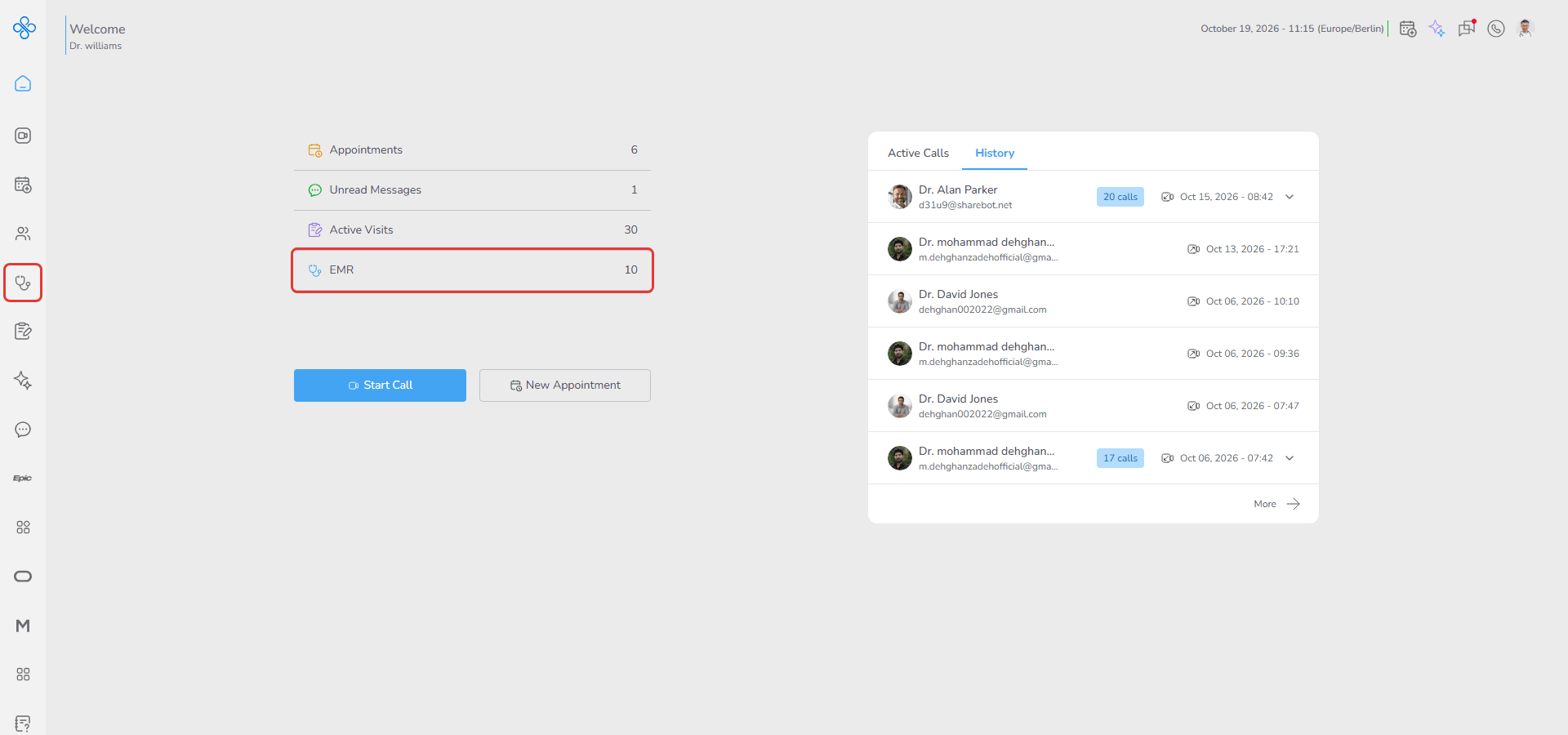
1. Go to EMR from the sidebar or Dashboard shortcut
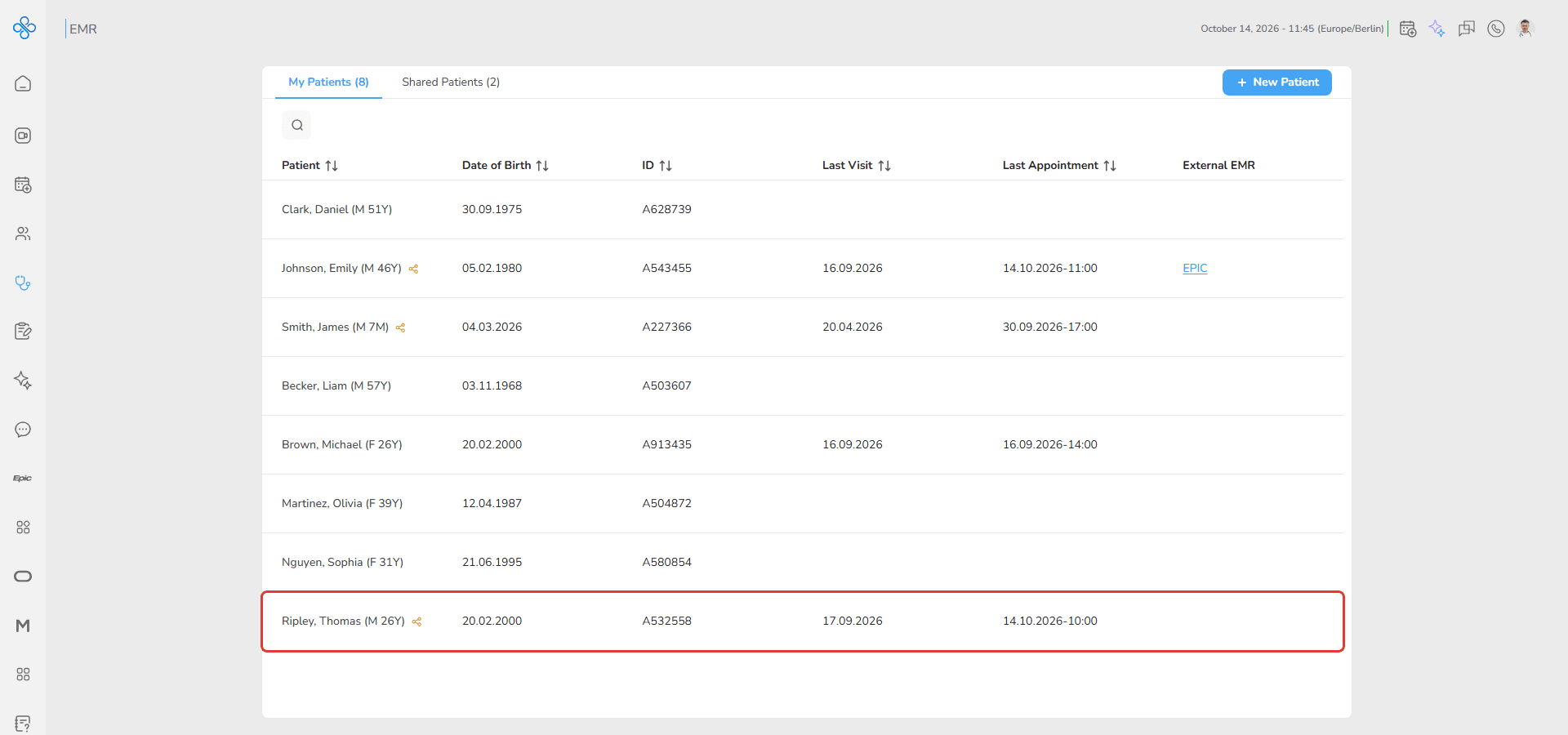
2. Select a patient from the list and open the patient file
3. Navigate to the Medical History tab
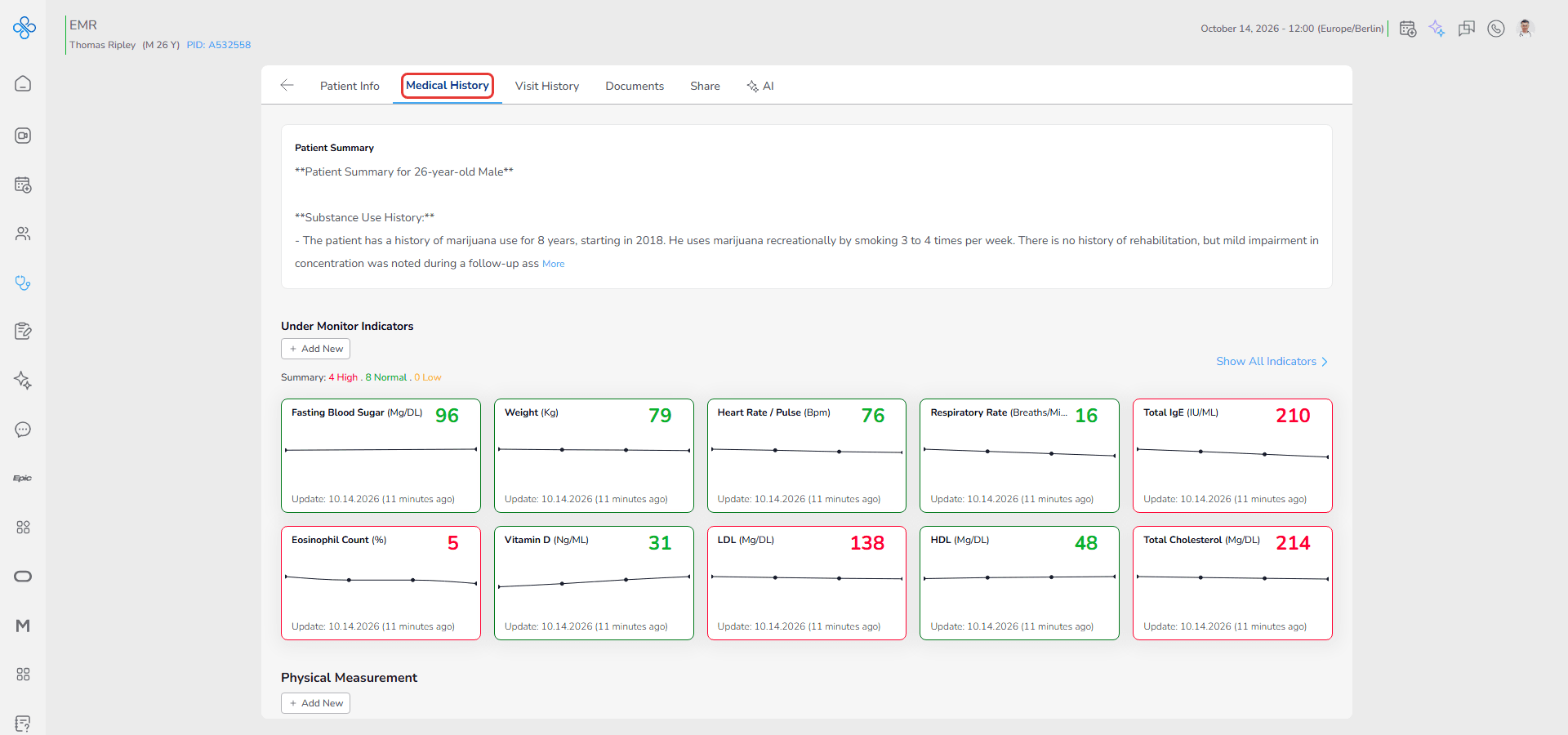
The tab loads all previously saved records automatically.
Clinical Workflow Overview
The Medical History tab is organized into structured sections.
Each section serves a specific clinical purpose.
Click on any section below to view its detailed guide:
• Patient Summary → Open the Patient Summary guide
• Under Monitor Indicators → Open the Under Monitor Indicators guide
• Physical Measurement → Open the Physical Measurement guide
• Vital Signs → Open the Vital Signs guide
• Past Medical History → Open the Past Medical History guide
• Biomarkers → Open the Biomarkers guide