Account Settings
Overview
The Account Settings section allows providers to manage everything related to their personal profile, system preferences, visit setup, and account security—all in one place.
This page helps ensure that:
- Your personal and professional information is accurate
- Your working preferences (such as time zone and visit types) are correctly configured
- Your account remains secure and under your control
How to access Account Settings To access this section:
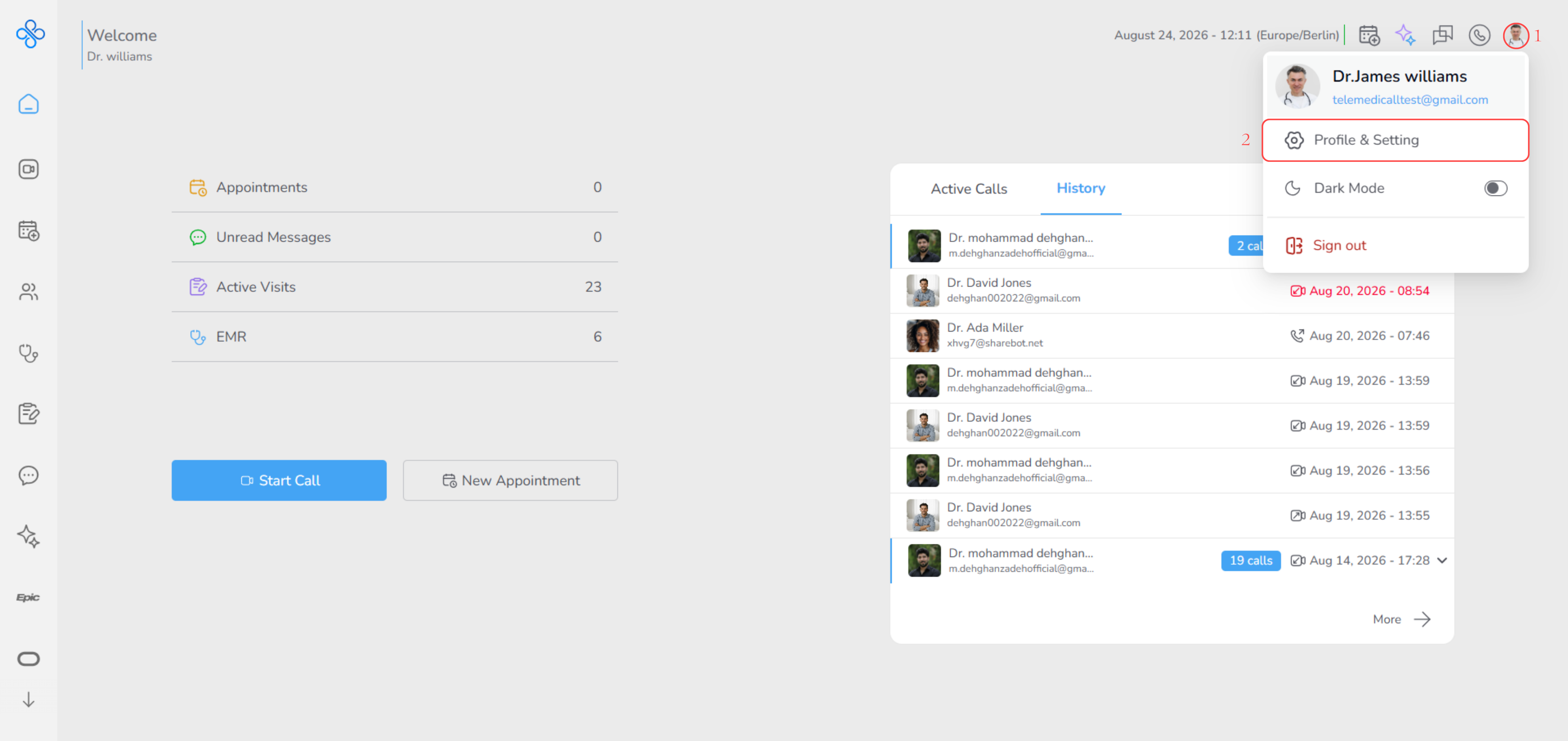
- Click on your user avatar in the platform header
- A dropdown menu will appear.
- Select Profile & Setting to navigate to the Account Settings page.
Once inside, the Account Settings page is organized into several sections, each focusing on a specific part of your account setup.
Note:
This section acts as the central hub for keeping your profile up to date, configuring how you work in the system, and managing your privacy and security.
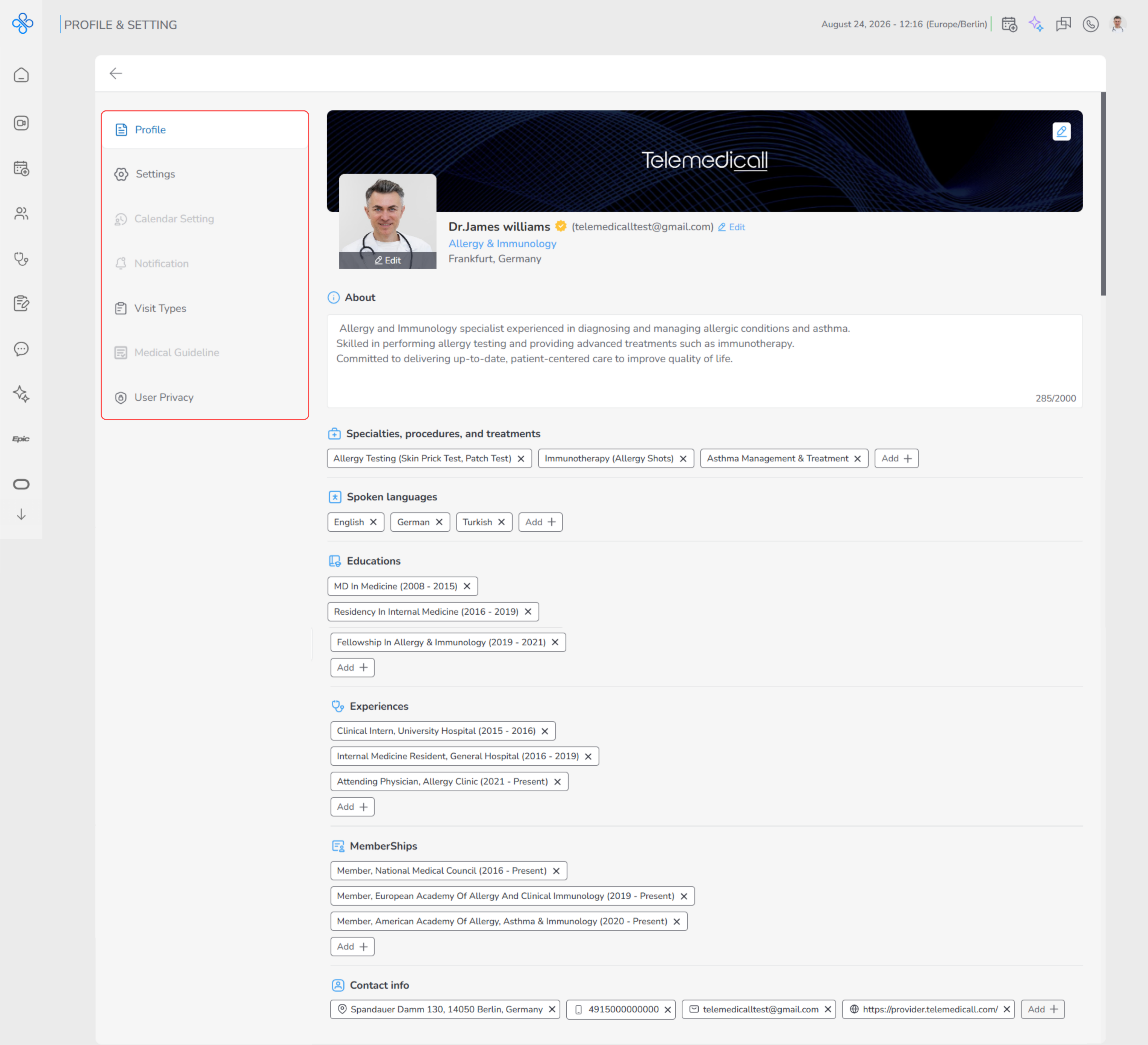
Features Covered
-
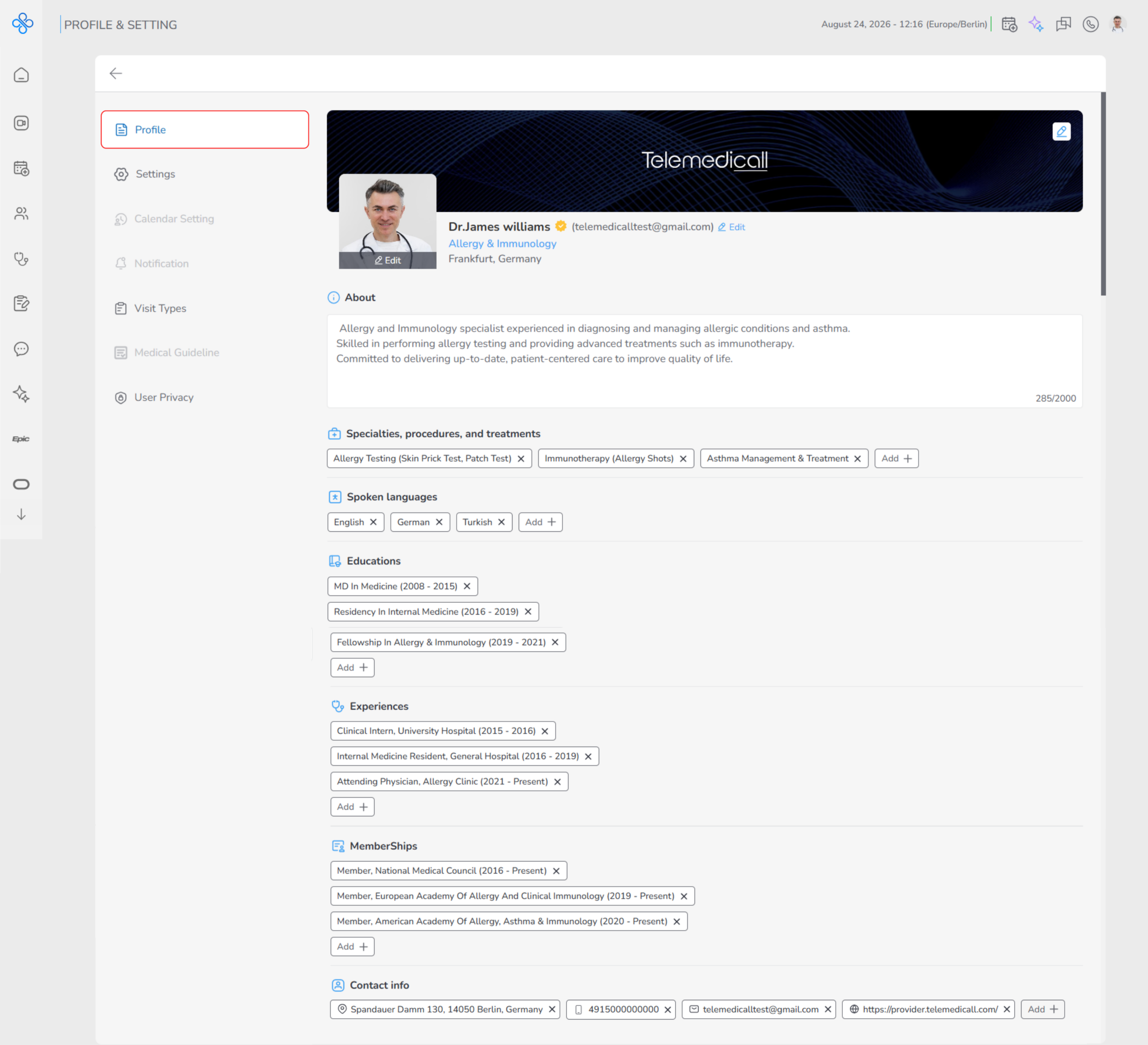
Profile
- Manage your personal and professional information that is visible across the platform.
- This includes basic details, profile photo, specialties, education, experience, and contact information.
- [See detailed guide → Private (https://app.clickup.com/9015704788/docs/8cp1f6m-2335/8cp1f6m-2755)]
-
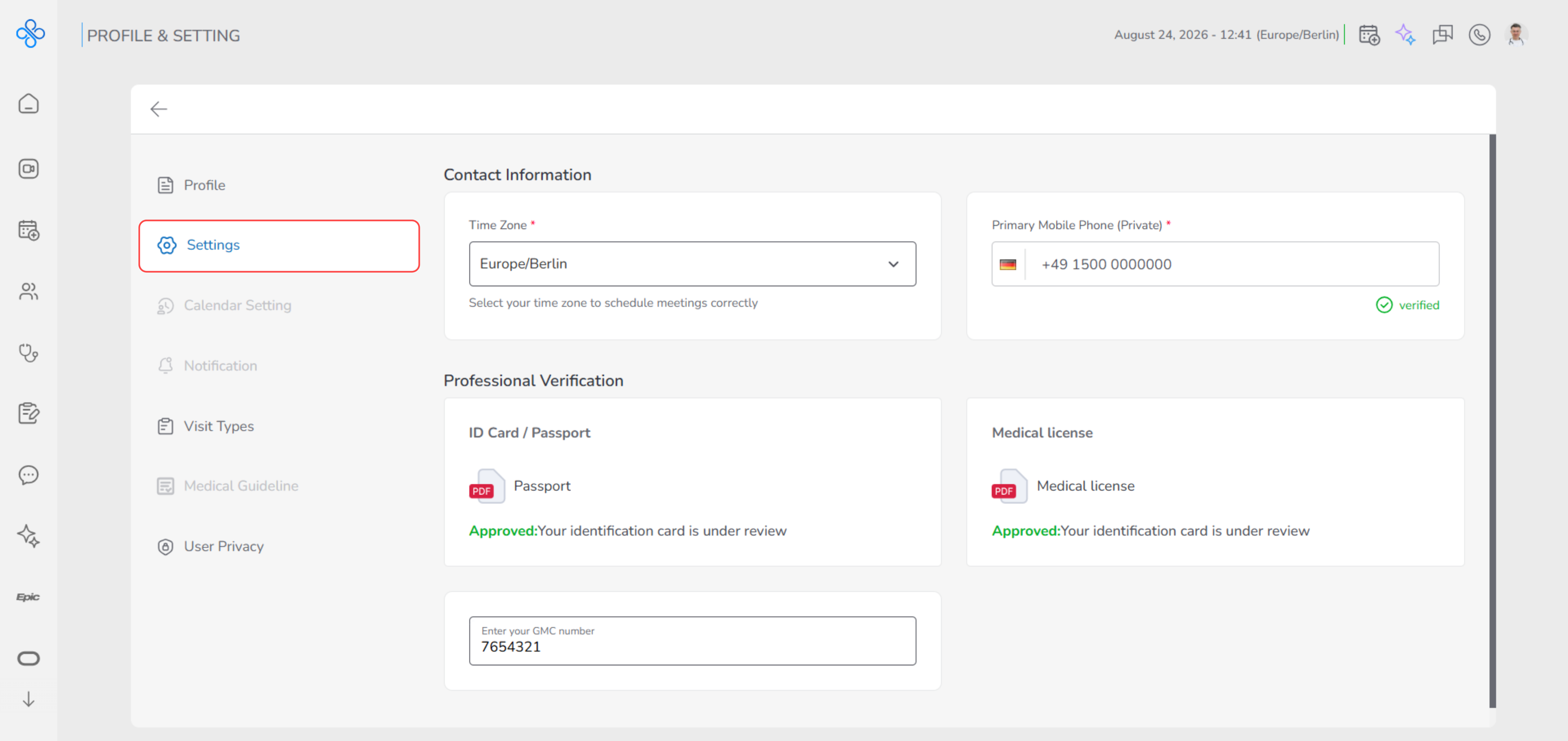
Settings
- Configure system-level and professional preferences that affect how the platform works for you and how your identity is verified.
- This section includes:
- Setting your time zone to ensure appointments and visits are scheduled correctly
- Managing and verifying your primary mobile phone number
- Completing Professional Verification, which includes:
- Uploading an ID Card or Passport
- Uploading a Medical License
- Entering your GMC Number (if applicable)
- Professional verification helps confirm your identity and credentials, and some platform features may depend on the completion and approval of these documents.
- [See detailed guide → Private (https://app.clickup.com/9015704788/docs/8cp1f6m-2335/8cp1f6m-2775) ]
-
Calendar Settings (Currently unavailable)
- Advanced calendar configuration options.
- This feature is currently unavailable and will be activated in a future release.
-
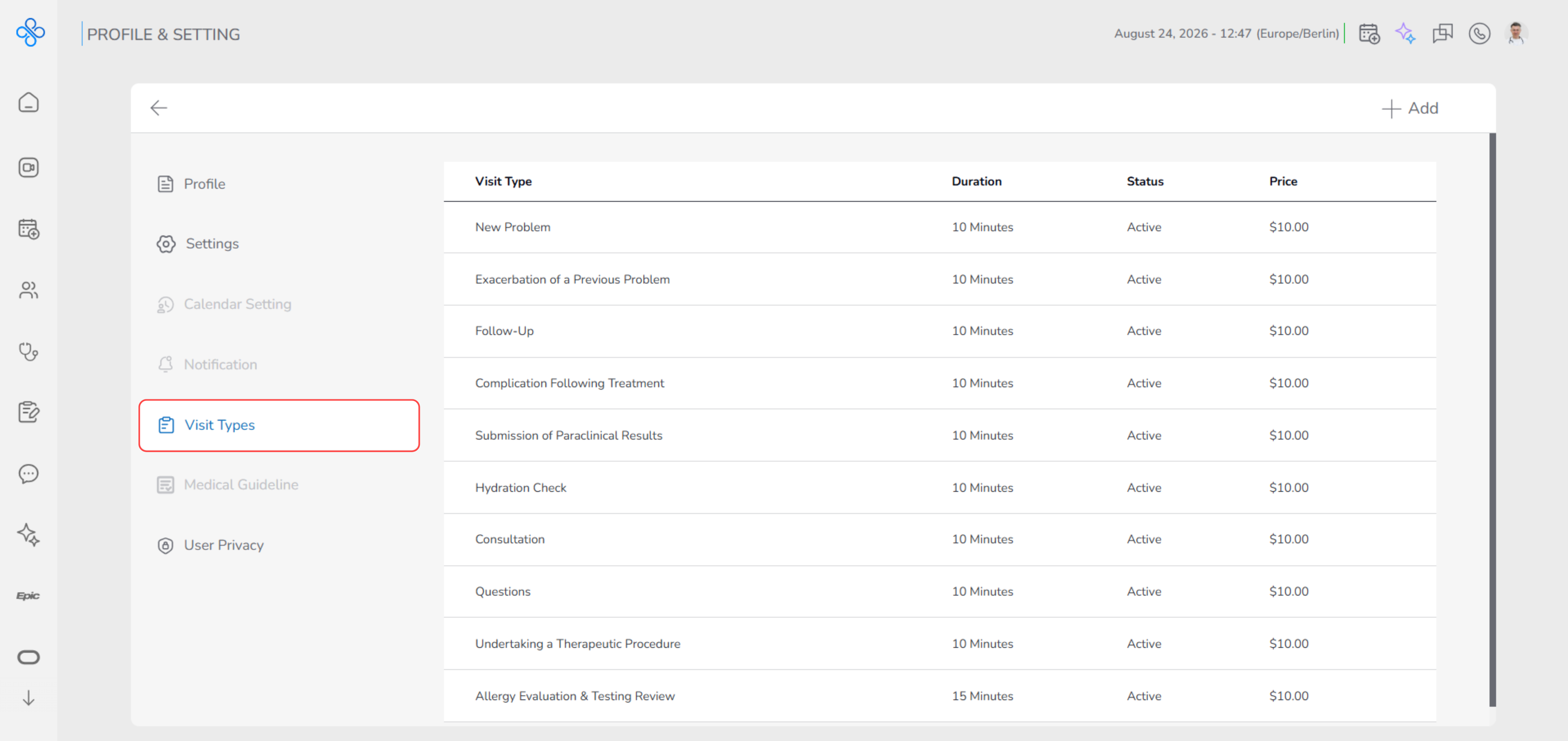
Visit Types
- Define and customize available visit types (New Problem, Follow-Up, etc.).
- Manage visit type details such as duration, pricing, and status (Active/Inactive).
- [See detailed guide → Private (https://app.clickup.com/9015704788/docs/8cp1f6m-2335/8cp1f6m-2795) ]
-
Notification (Currently unavailable)
- Manage notification preferences for appointments, messages, and system updates.
- This feature is currently unavailable and will be activated in a future release.
-
Medical Guideline (Currently unavailable)
- Access and manage clinical guidelines and reference materials.
- This feature is currently unavailable and will be activated in a future release.
-
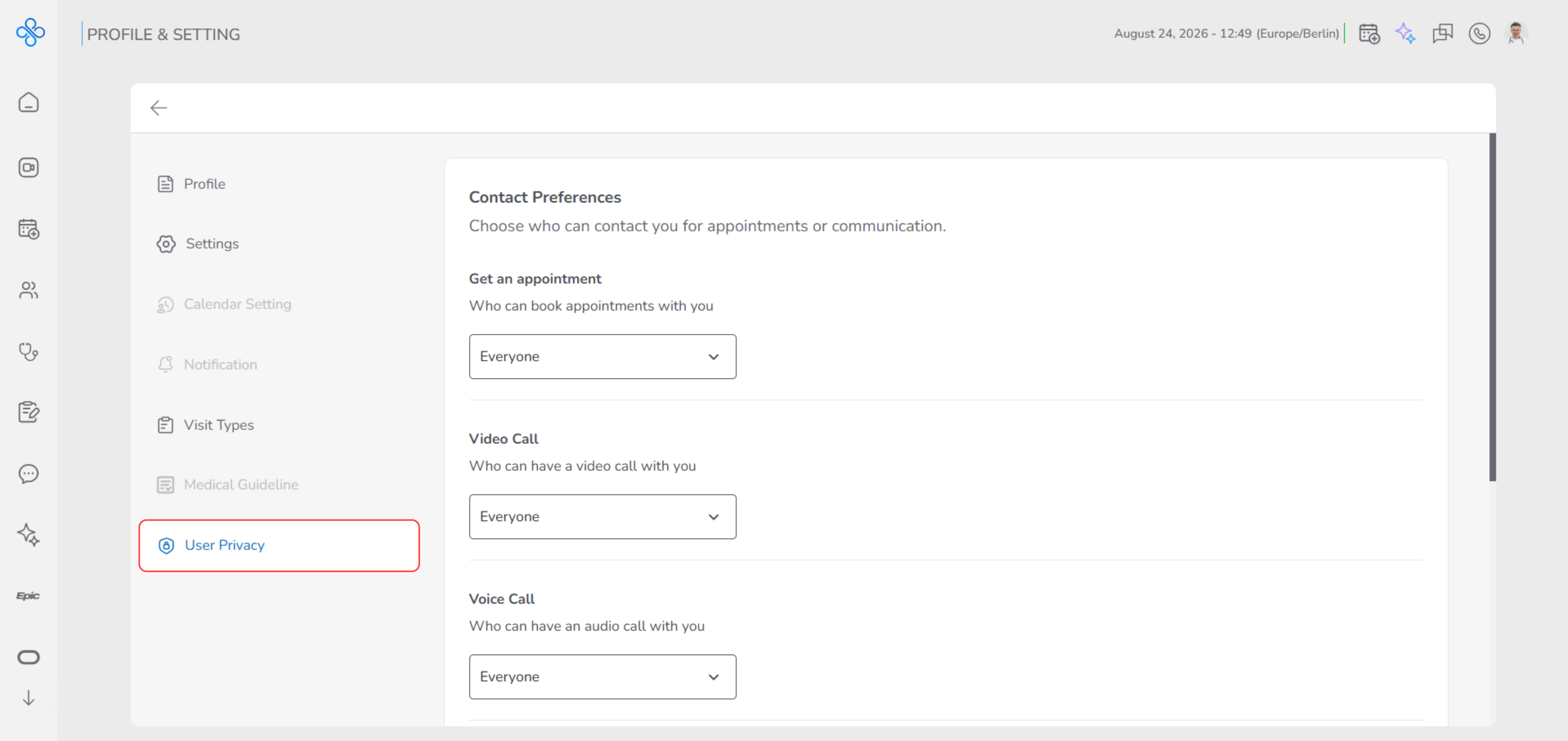
User Privacy
Control who can interact with you and how your profile is visible on the platform. In this section, you can manage privacy permissions such as who can book appointments, start calls, or view your profile details. You can also request account deletion from here, with a safe 15-day recovery period before permanent removal.
[See detailed guide → Private (https://app.clickup.com/9015704788/docs/8cp1f6m-2335/8cp1f6m-3055) ]