Calendar
Overview
The Calendar section helps you view and manage appointments in different time views.
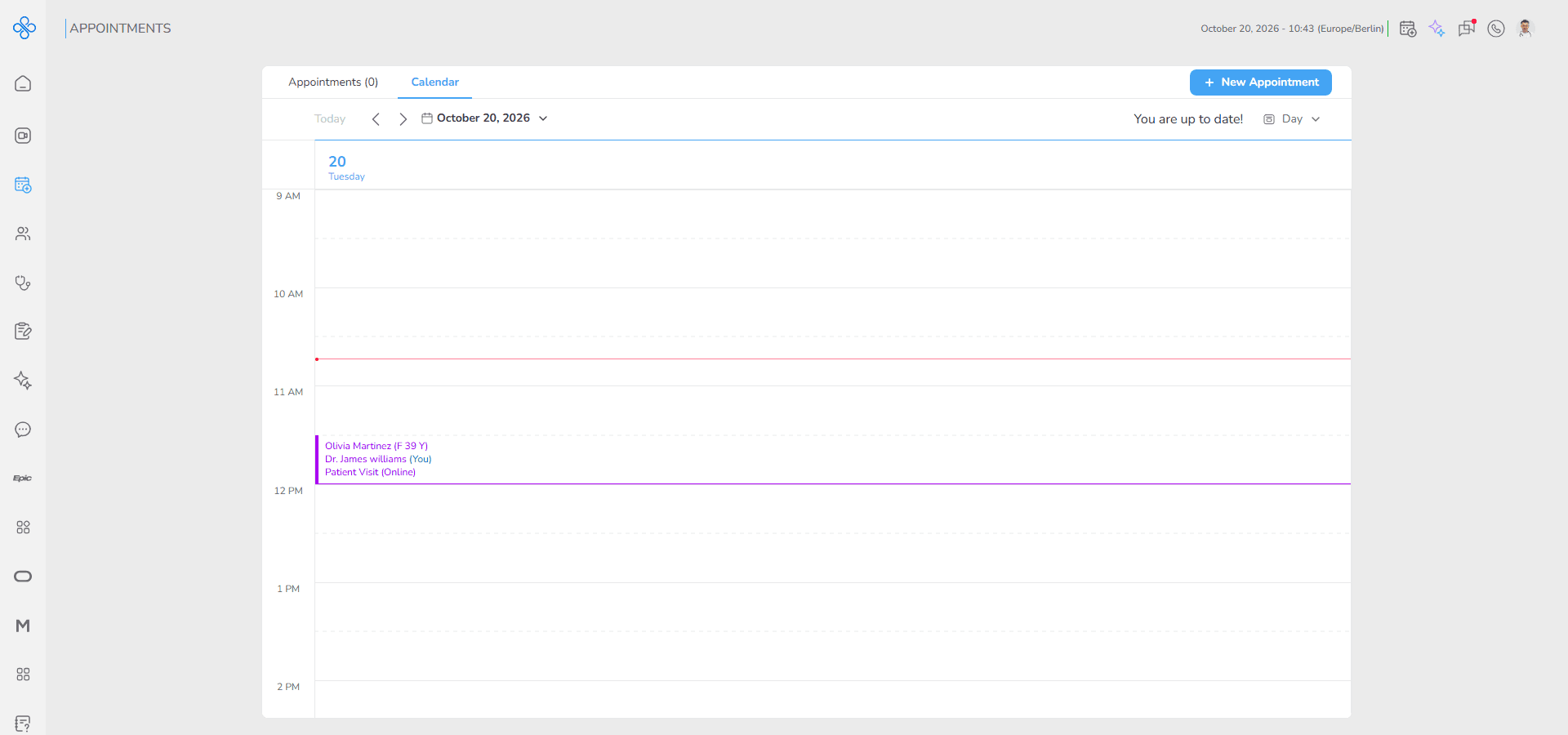
You can review scheduled appointments, create new appointments and join ongoing meetings directly from the calendar.
The calendar includes 4 view modes:
- Day
- Week
- Month
- Agendas
Each mode helps you review appointments in a different time frame based on your workflow. You can switch between the modes from the view selector at the top right of the page.
The + New Appointment button at the top right is available in all view modes.
How to Access Calendar
Follow these steps to open the Calendar section:
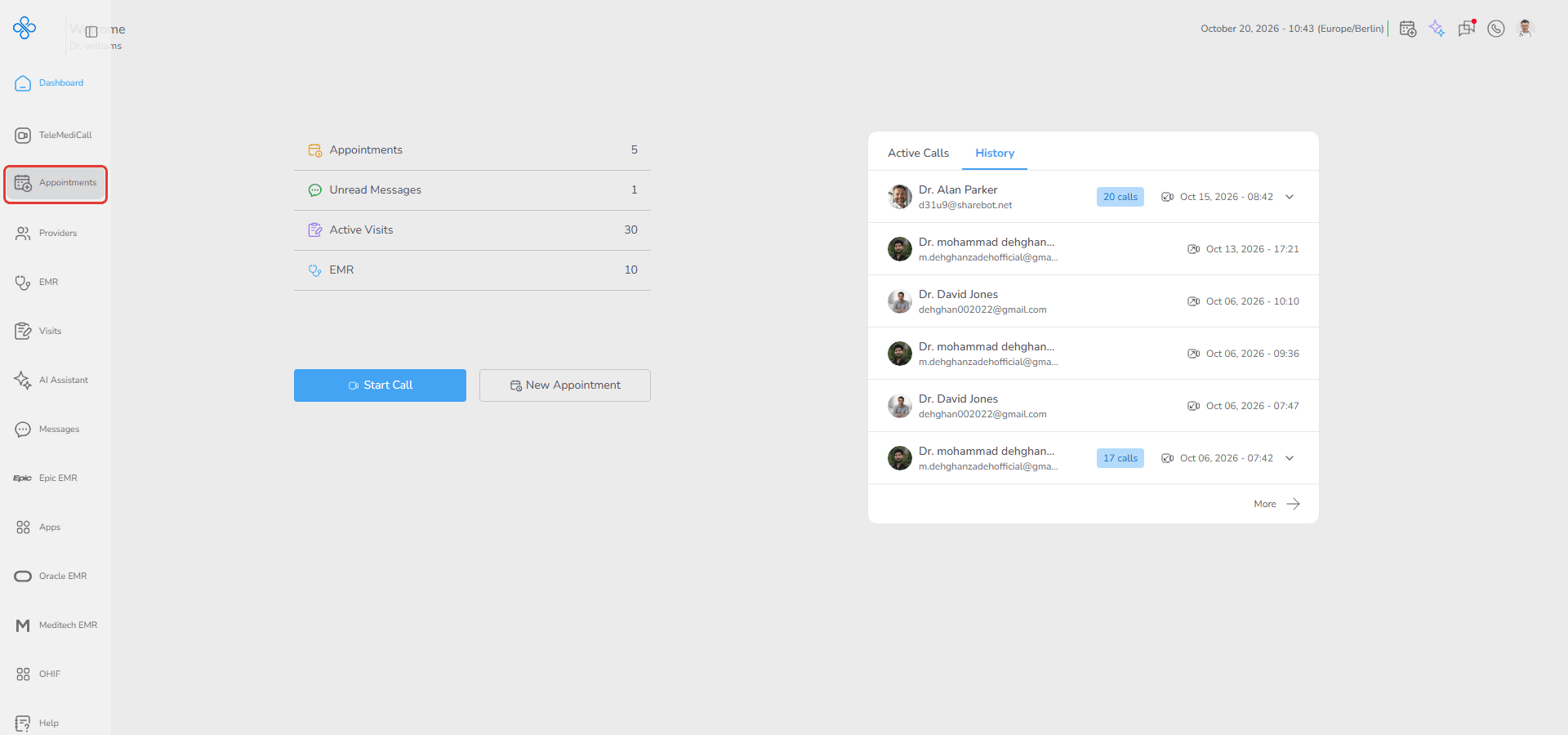
1. From the left sidebar menu, click Appointments
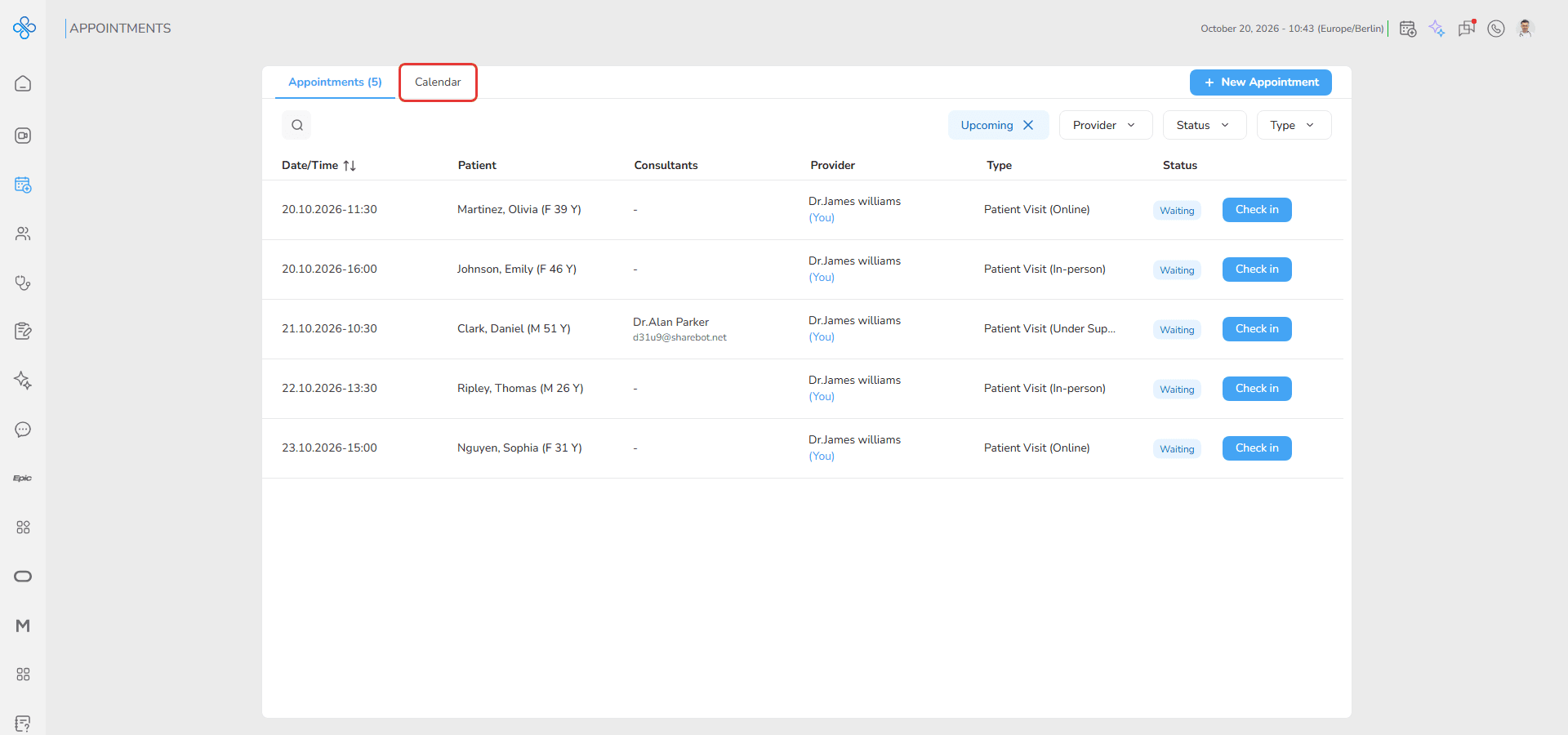
2. The Appointments page opens on its Appointments tab. Click the Calendar tab at the top of the page
The calendar opens in Day view and displays your appointments for today.
How to switch calendar views
1. Go to the top right section of the calendar page
2. Click the view dropdown
3. Select one of the following options:
- Day
- Week
- Month
- Agendas
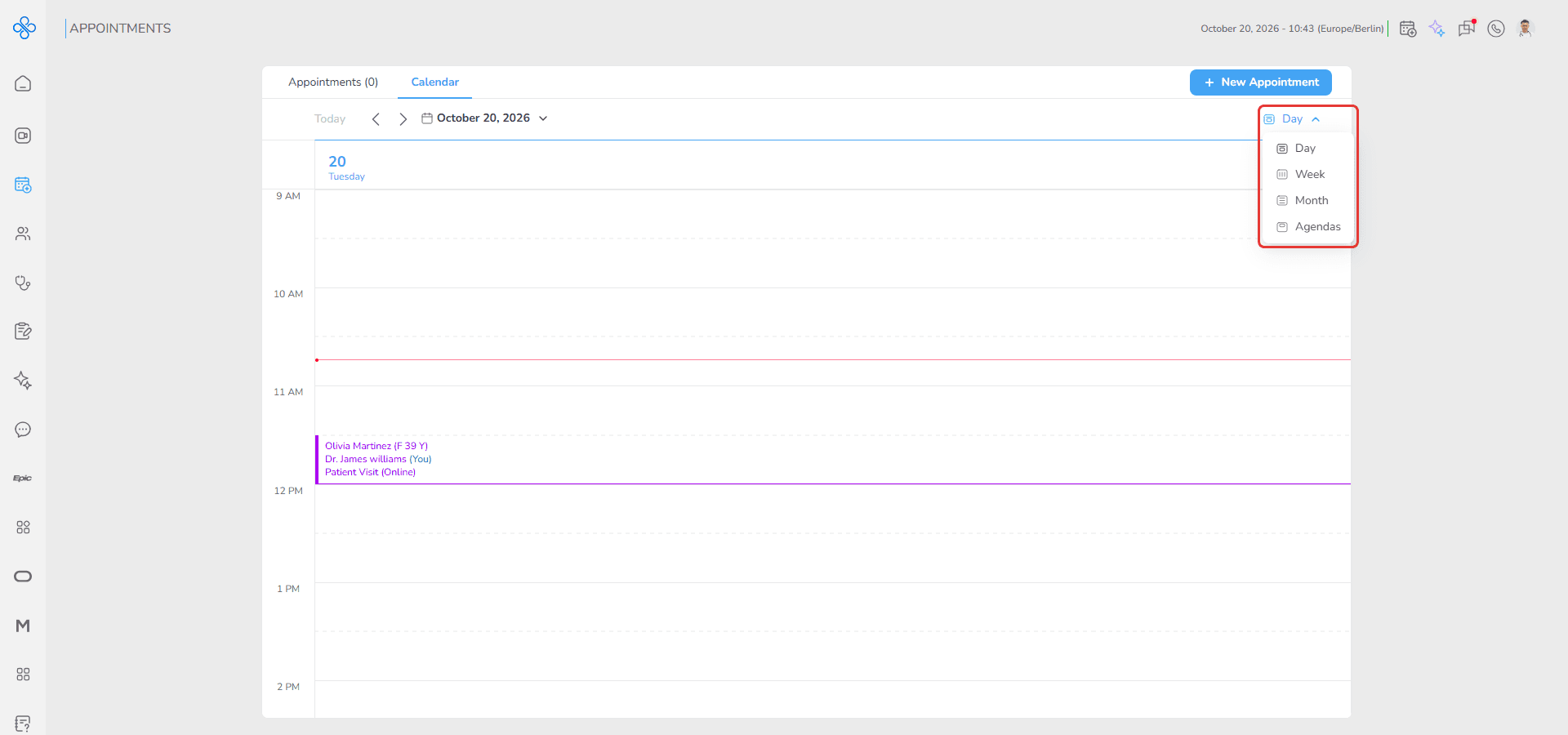
The calendar updates immediately based on the selected view.
The next pages explain each view step by step.