Month View
Overview
The Month view displays appointments across an entire month.
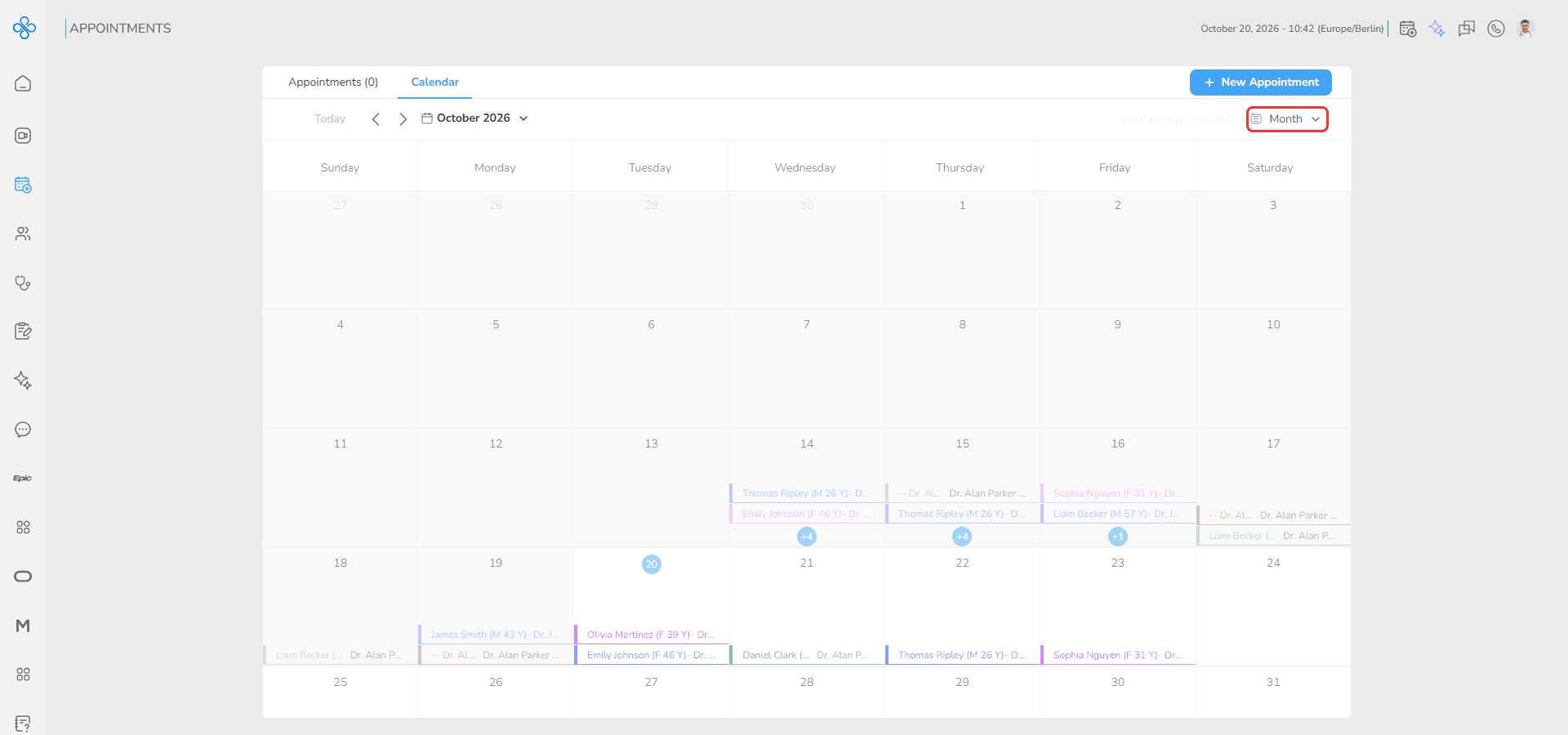
This view helps you quickly review appointment distribution and busy days. The month starts on Sunday and shows six weeks, including the last days of the previous month and the first days of the next month in grey.
Access
1. Open the Calendar page
2. Click the view dropdown at the top right and select Month
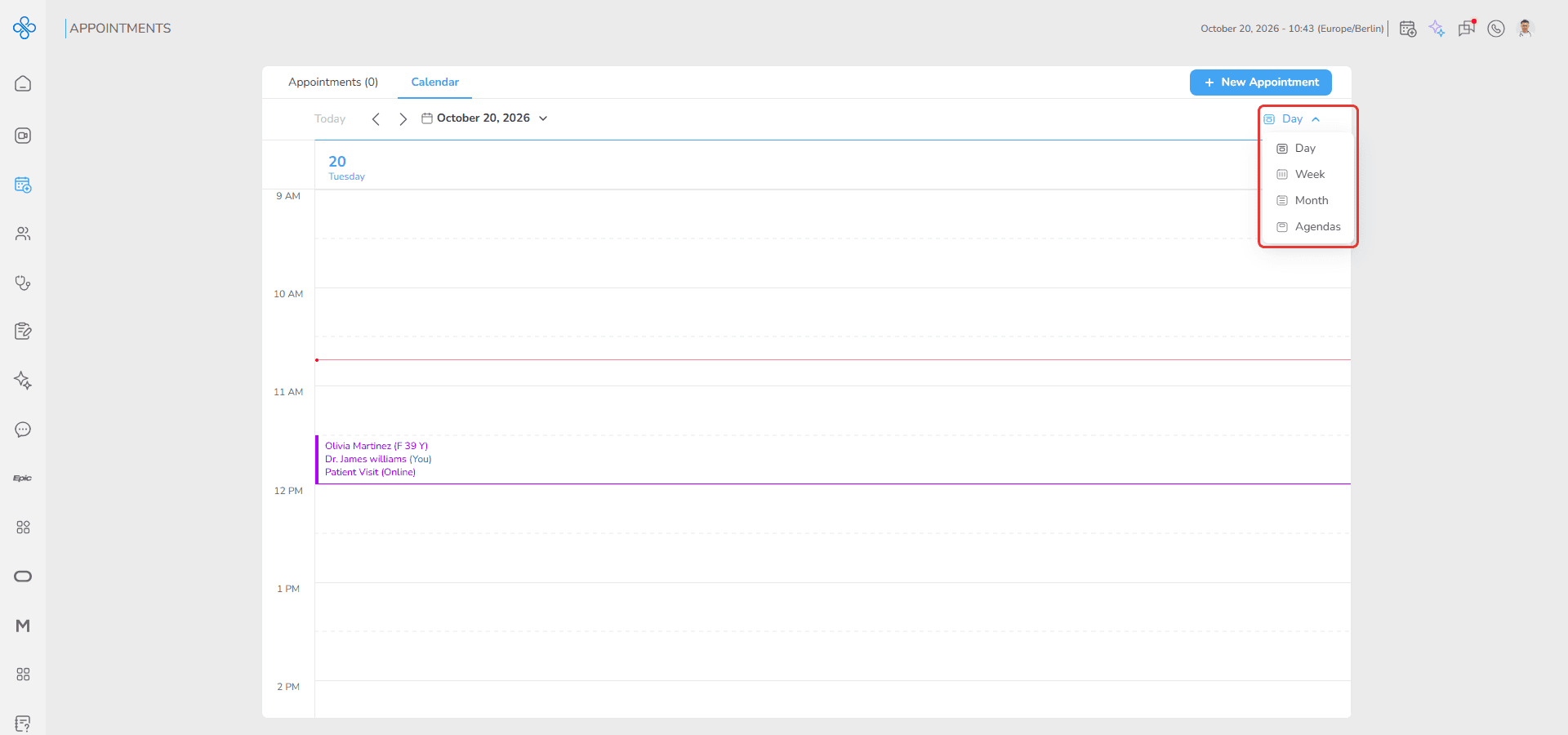
The monthly calendar opens.
Steps
How to select a month
1. Click the date picker
2. Select any date
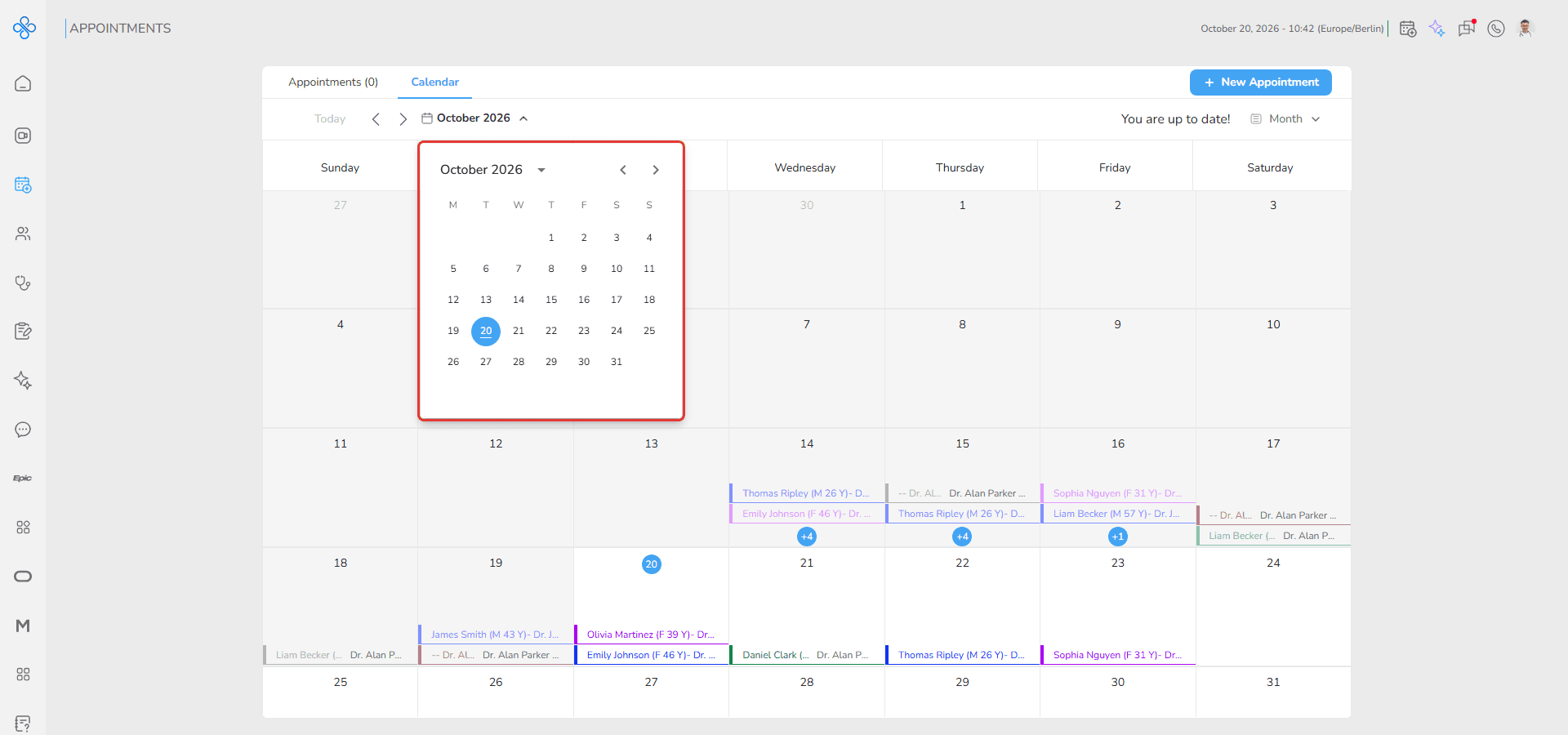
The calendar opens the month that contains the selected date. You can also use the arrows to move between months, and Today to return to the current month.
How to open a specific day
1. Click on any day inside the month calendar
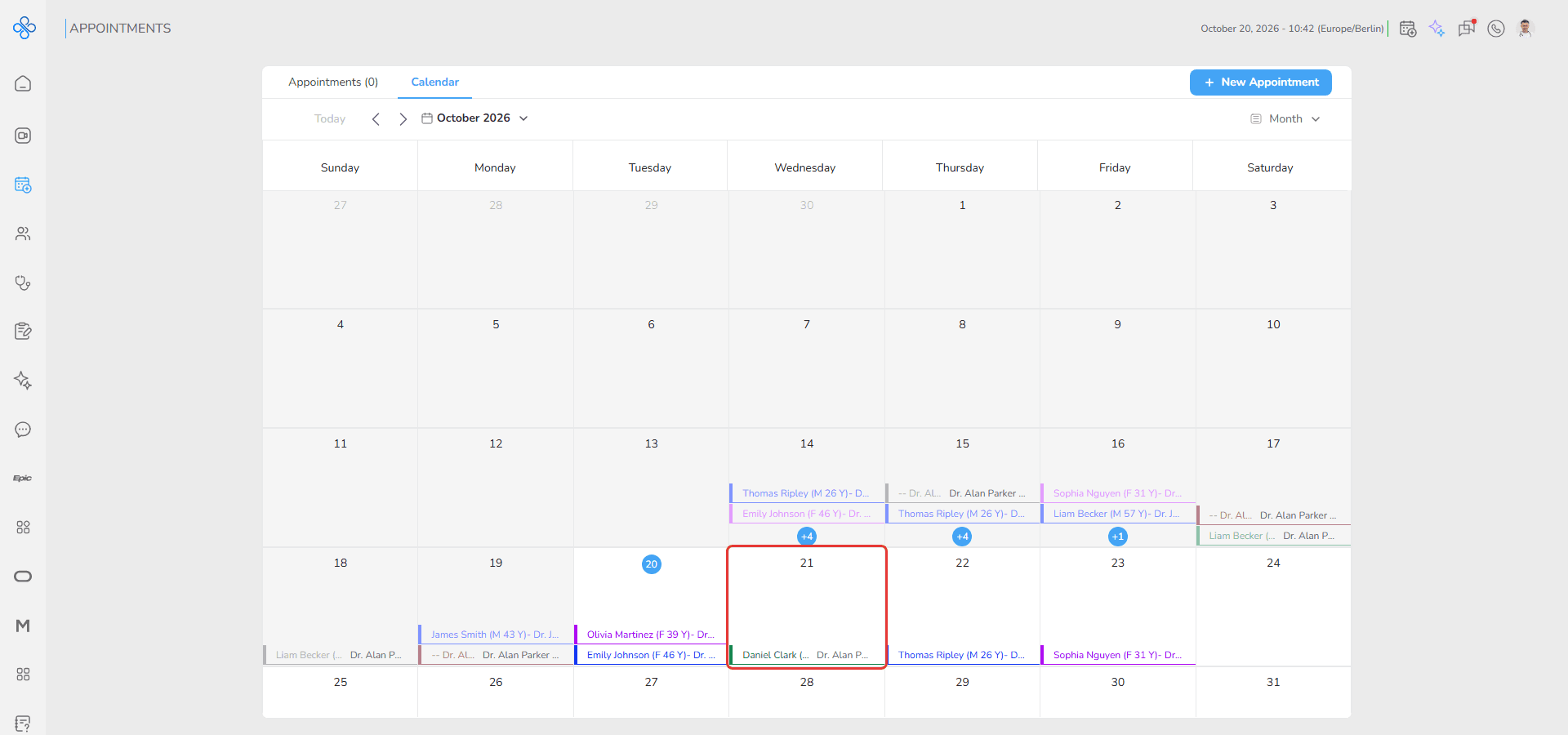
The calendar switches to Day view for the selected date.
How to review additional appointments
A day cell shows up to two appointments. When a day has more, a counter (for example +4) appears at the bottom of the cell.
1. Click the counter
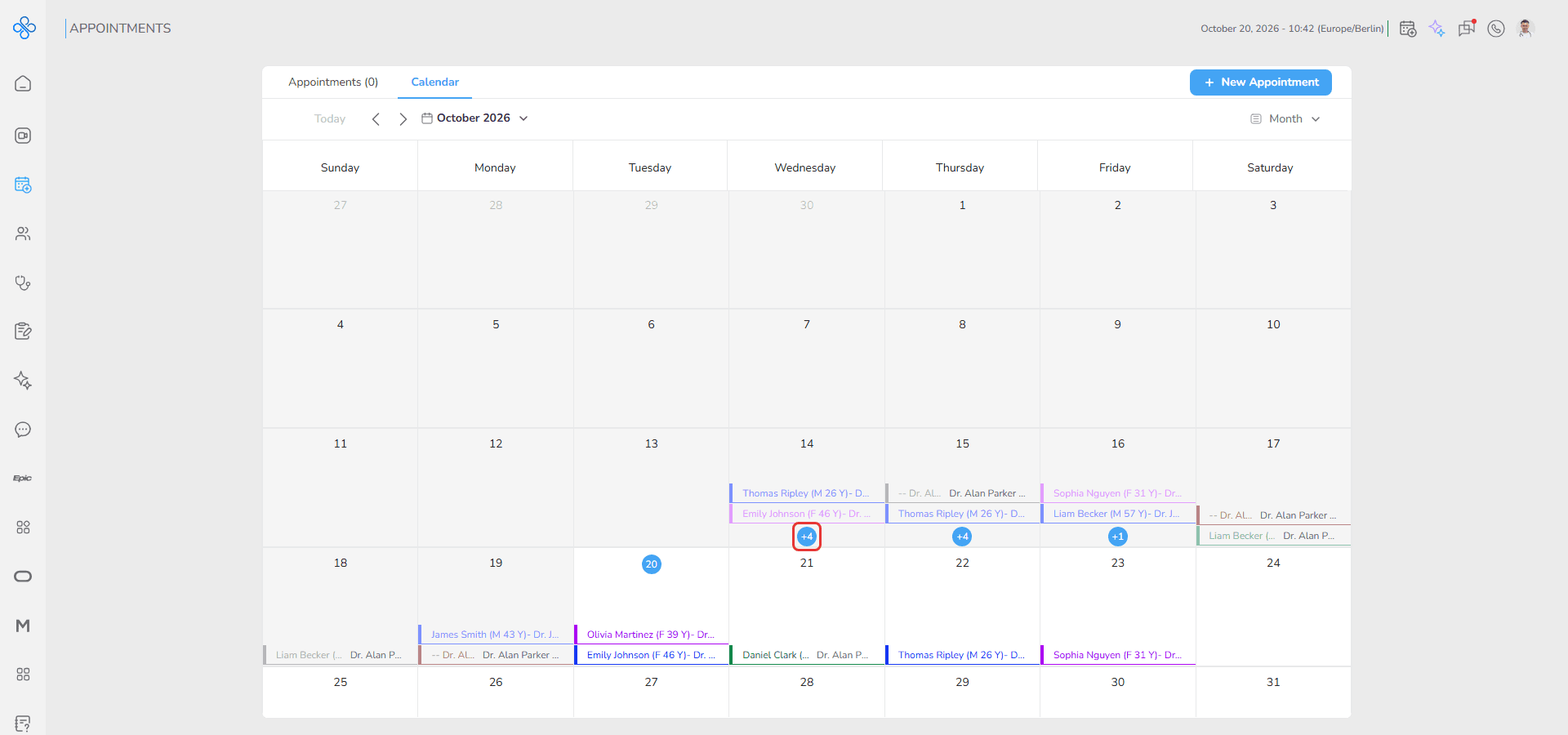
2. The Appointments window opens and lists the appointments of that day with their Date-Time, Patient, Provider/Consultant and Appointment Type
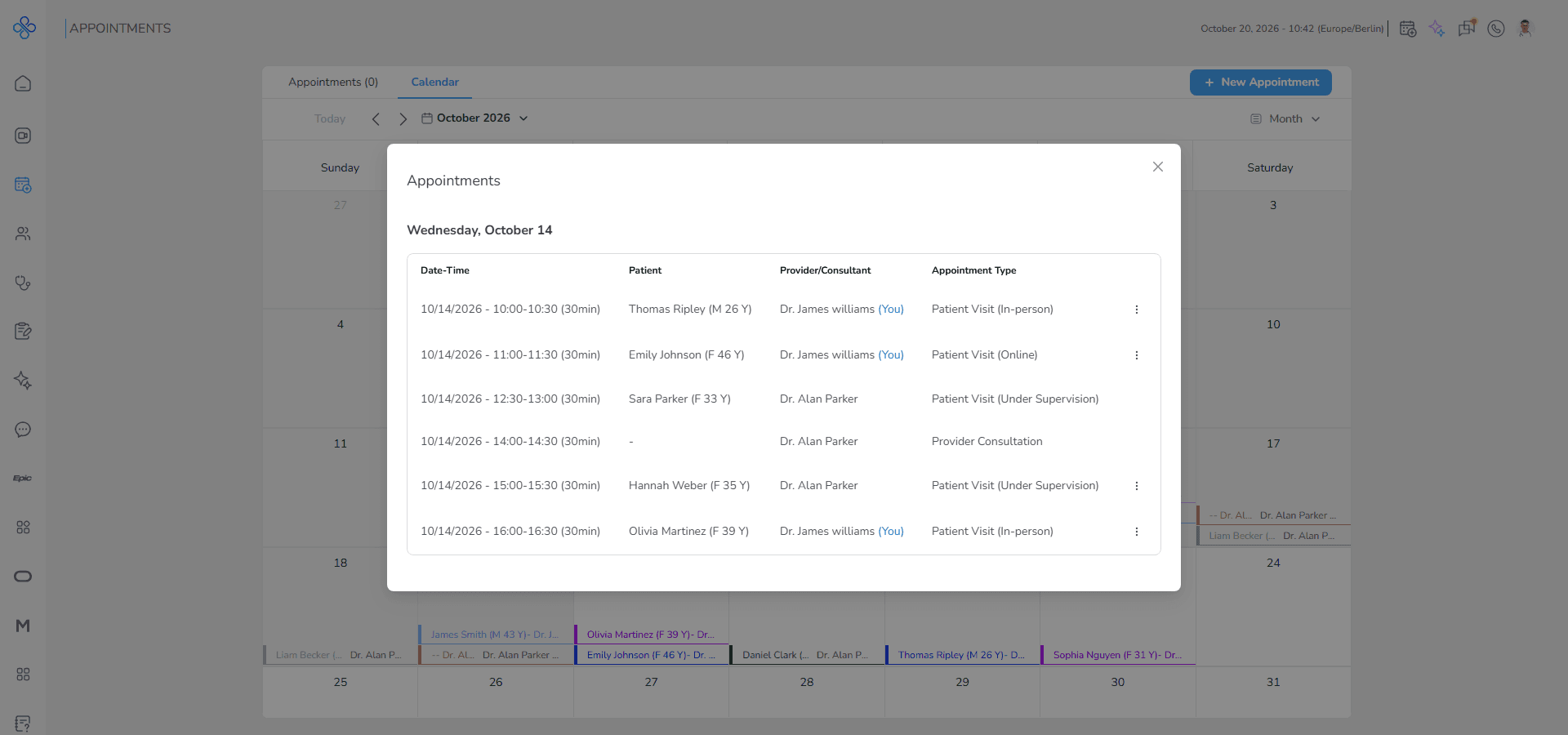
Use the More Actions (⋮) button of an appointment to Edit or Cancel it.
Fields (Field Descriptions)
| Field | Description | Behavior |
|---|---|---|
| Date Picker | Selects a date | Opens the related month |
| Day Cell | Represents a calendar day | Opens Day view when clicked |
| Appointment Counter | Shows how many more appointments the day has | Opens the Appointments window |
| Appointment Preview | Displays an appointment summary | Shows patient and provider |
| More Actions (⋮) | Menu of an appointment in the Appointments window | Edit or Cancel the appointment |
Behavior & Expected Outcome
- The calendar displays appointments inside daily cells.
- No current time line appears in Month view.
- Days with more than two appointments display a counter.
- Clicking a day opens the selected day in Day view.
- Clicking the counter opens the list of that day's appointments.
Common Errors + Fixes
| Issue | Cause | Fix |
|---|---|---|
| Some appointments are hidden | Too many appointments exist in one day | Click the appointment counter |
| Wrong month is displayed | Incorrect date selected | Choose another date from the picker |
| Day view does not open | Page response delay | Refresh the page and try again |